Managing entries
Listing, correcting, and deleting logged time. For creating entries, see Tracking time. For expenses, see Expenses.
Listing entries
$ ttd entry list --week                  # this week
$ ttd entry list --month                 # this month
$ ttd entry list --from 2026-06-01 --to 2026-06-07
$ ttd entry list -p api-rewrite          # filter by project
$ ttd entry list --client acme-corp      # or by client
Each row shows the entry's short id, time range (or plain duration), hours,
note, and flags — nb for non-billable, inv for invoiced.
JSON output for scripting
Stable, machine-readable output of the same rows — pipe it anywhere.
Editing an entry
Take the id (a unique prefix is enough) from entry list:
$ ttd entry edit a3f2 --time "9-11:30"        # re-time it
$ ttd entry edit a3f2 -n "auth endpoints" --tags backend
$ ttd entry edit a3f2 -p design --client beta-llc   # move it to another project
$ ttd entry edit a3f2 --billable false
--time accepts the same time expressions
as ttd log.
Deleting entries
Invoiced entries are locked
Once an entry is on an invoice, entry edit and entry rm refuse to touch
it — the ledger always matches what you billed. To change billed work, void
the invoice first (ttd invoice mark NUMBER void),
which releases its entries, then edit and re-invoice.
The log screen
Screen 2 in the TUI shows the current month's time entries and expenses in
two stacked tables:
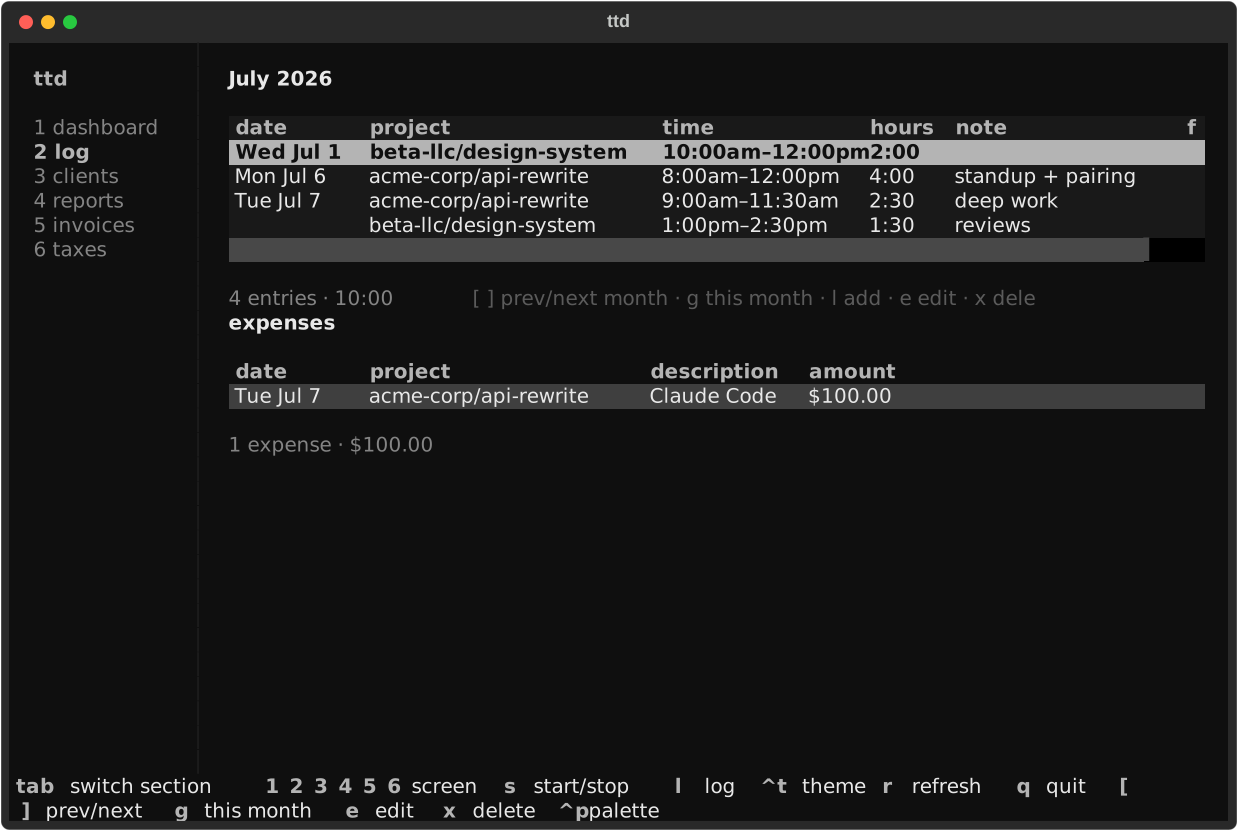
| Key | Action |
|---|---|
[ / ] |
previous / next month |
g |
jump to this month |
tab |
switch focus: time table ↔ expenses table |
e |
edit the selected row (section-aware) |
x |
delete the selected row (confirms first) |
l |
add time or expense (global chooser) |
Expense rows use the same edit/delete keys when the expenses section is focused. Invoiced expenses cannot be changed until the invoice is voided.