The TUI
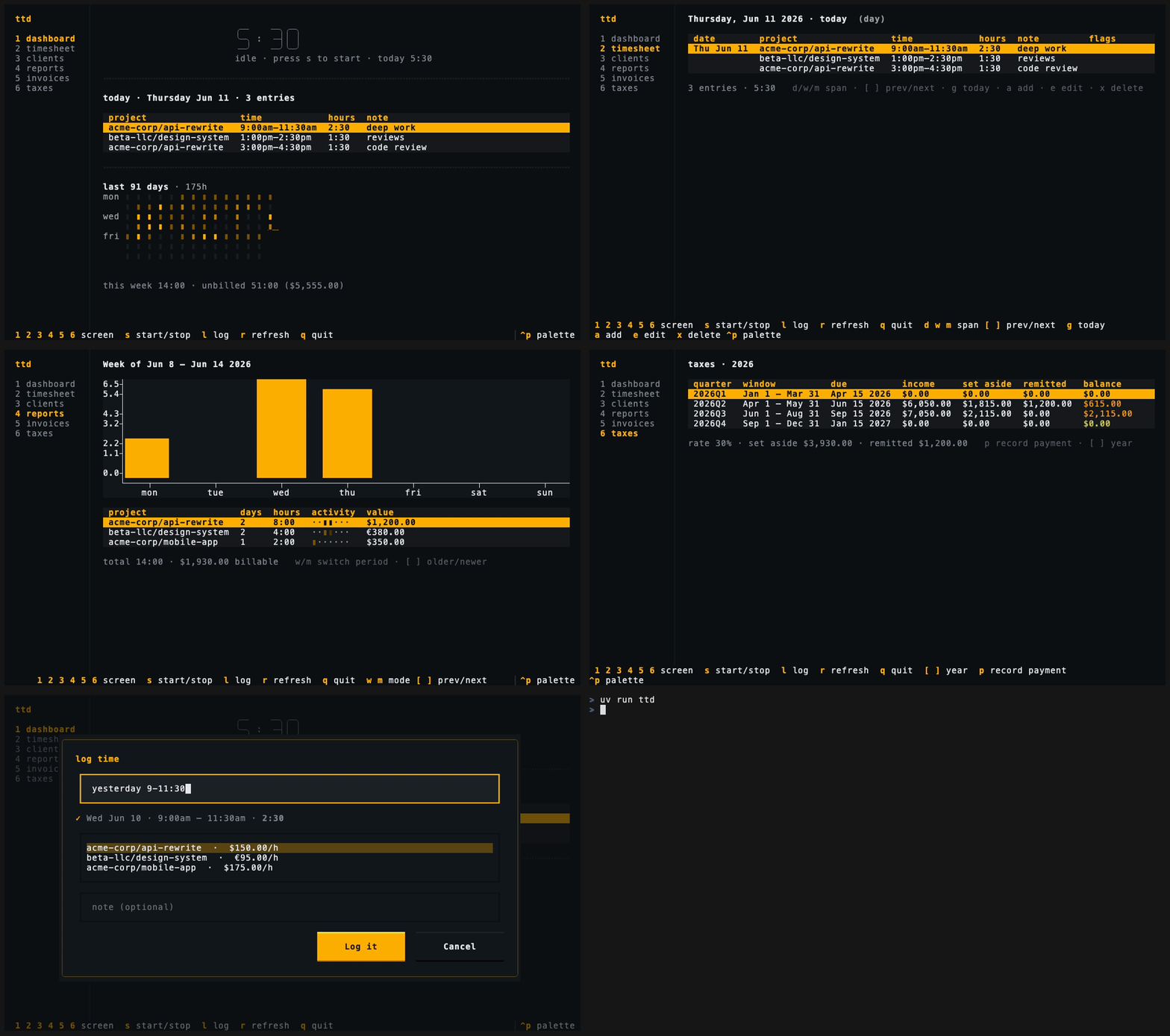
Run bare ttd and the full-screen interface opens — six screens covering
everything the CLI does, plus always-on timer and quick-log keys.
Global keys
These work on every screen:
| Key | Action |
|---|---|
1 – 6 |
switch screens (the nav rail shows the numbers) |
s |
start a timer / stop the running one |
l |
quick log — choose time or expense |
r |
refresh |
q |
quit |
The footer always shows every available key for the current screen — on narrow terminals it wraps onto extra rows rather than hiding shortcuts.
Dashboard
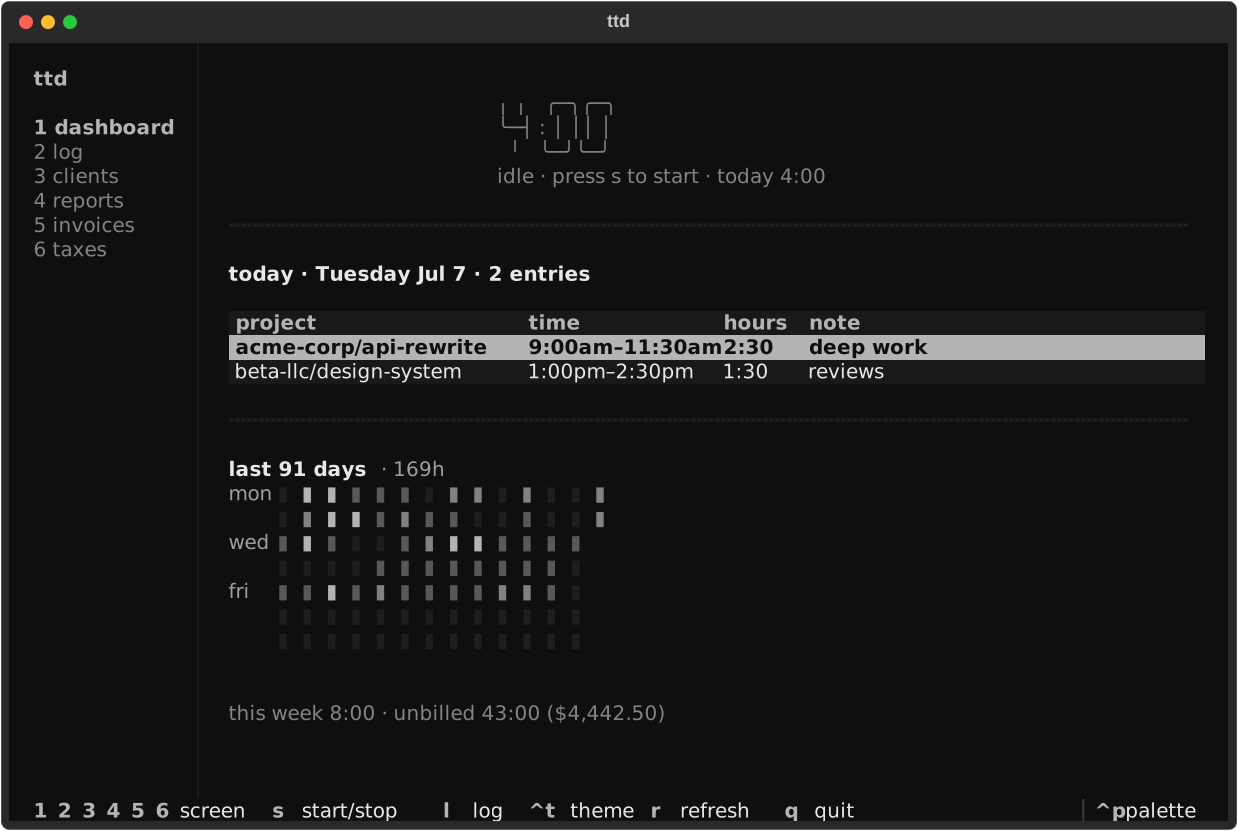
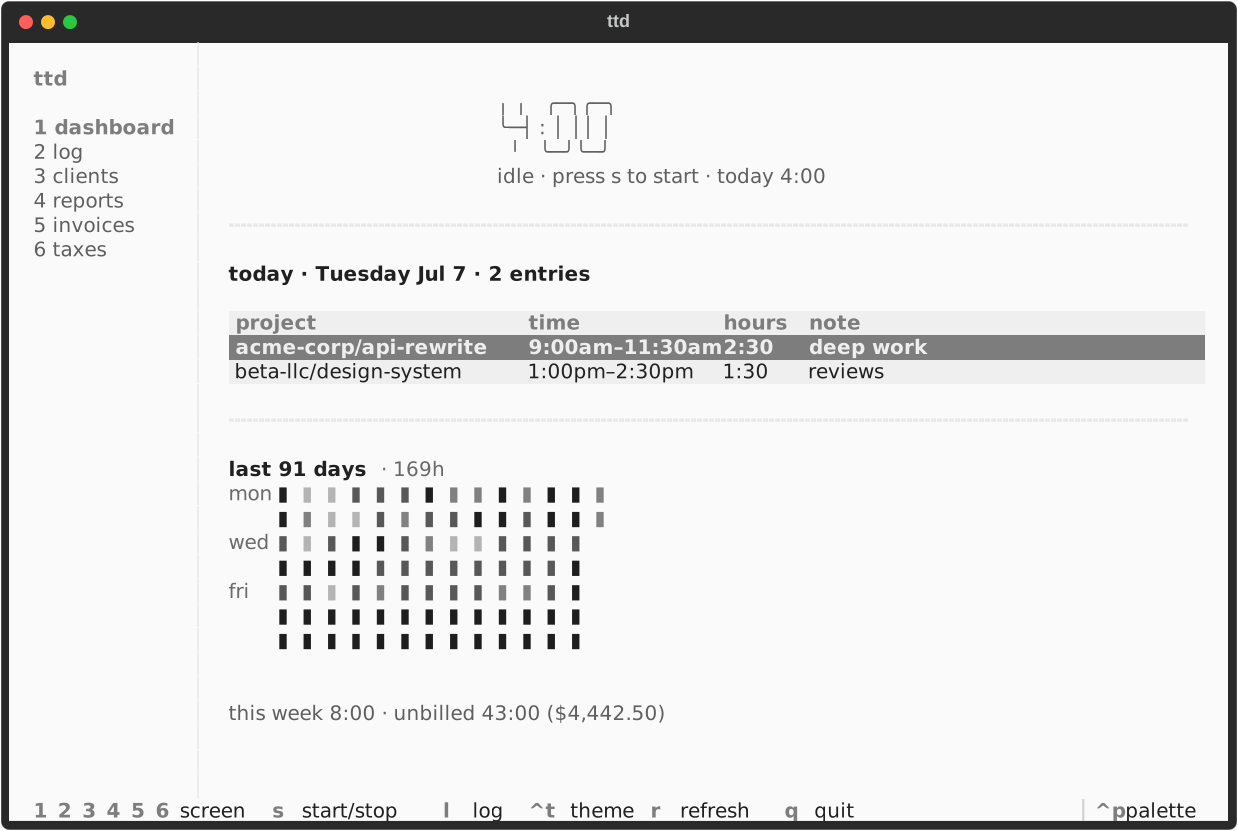
Screen 1. The big timer (idle or running), today's entries, the week's
hours and unbilled value, and a 12-week activity heatmap:
The footer summary matches ttd status on the CLI (week hours and unbilled value).
Log
Screen 2. A month-scoped view of time entries and expenses in two
stacked tables — browse, edit, and delete either kind. Keys: [ ] change
month, g jump to this month, tab switch between sections, e edit, x
delete the focused row.
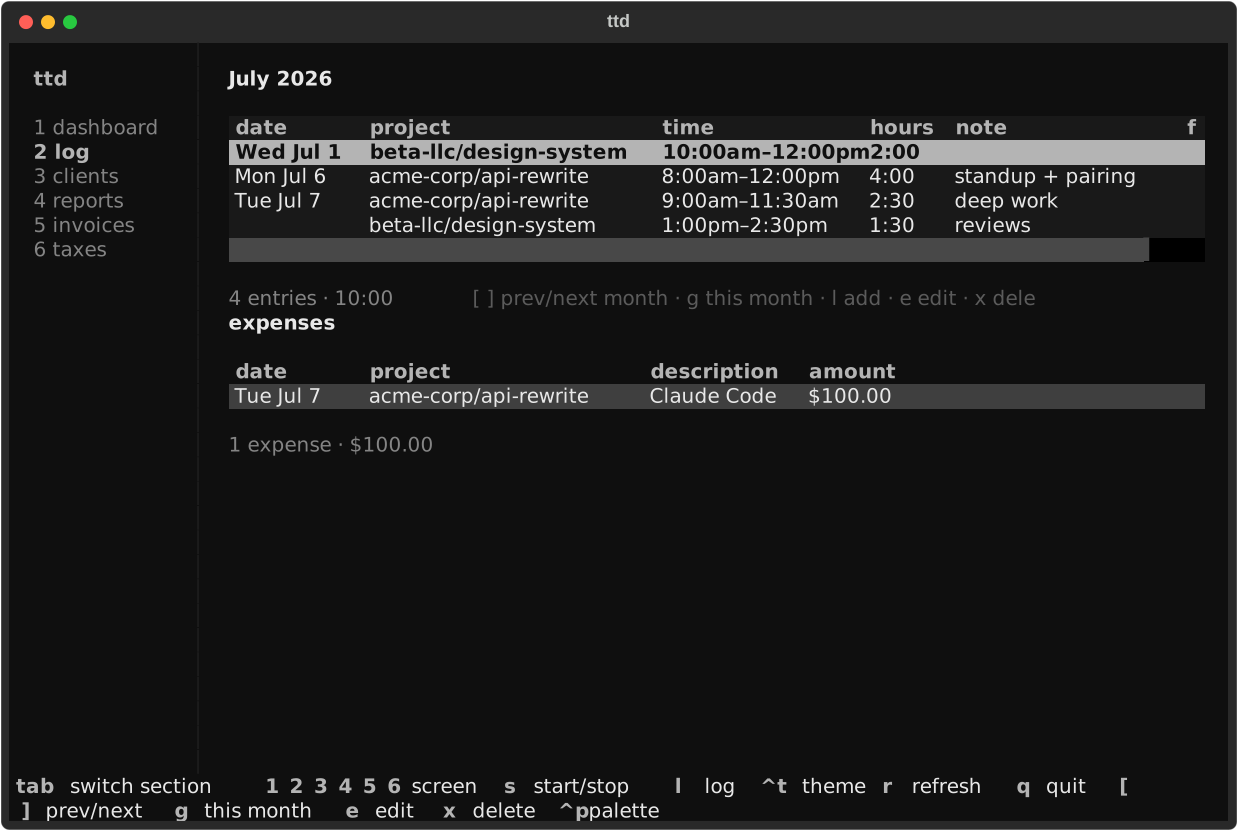
Time rows show date, project, duration, note, and flags (nb, inv). Expense
rows show date, project, description, amount (inv when invoiced). An empty
month still shows both section headers.
Add new records with global l (time or expense). See
Expenses for expense workflows.
Clients
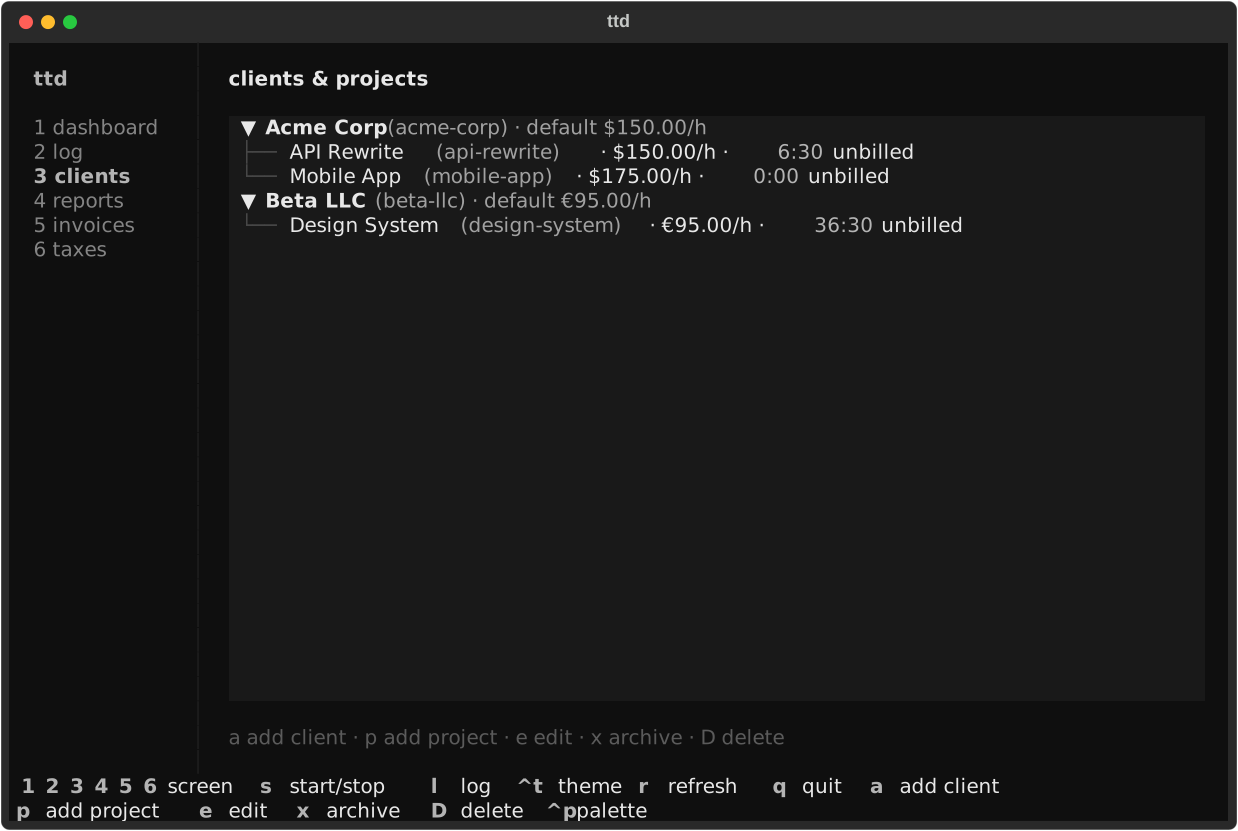
Screen 3. The portfolio as a tree — clients, their projects, rates, and
unbilled hours. Keys: a add client, p add project, e edit, x archive,
D delete.
Reports
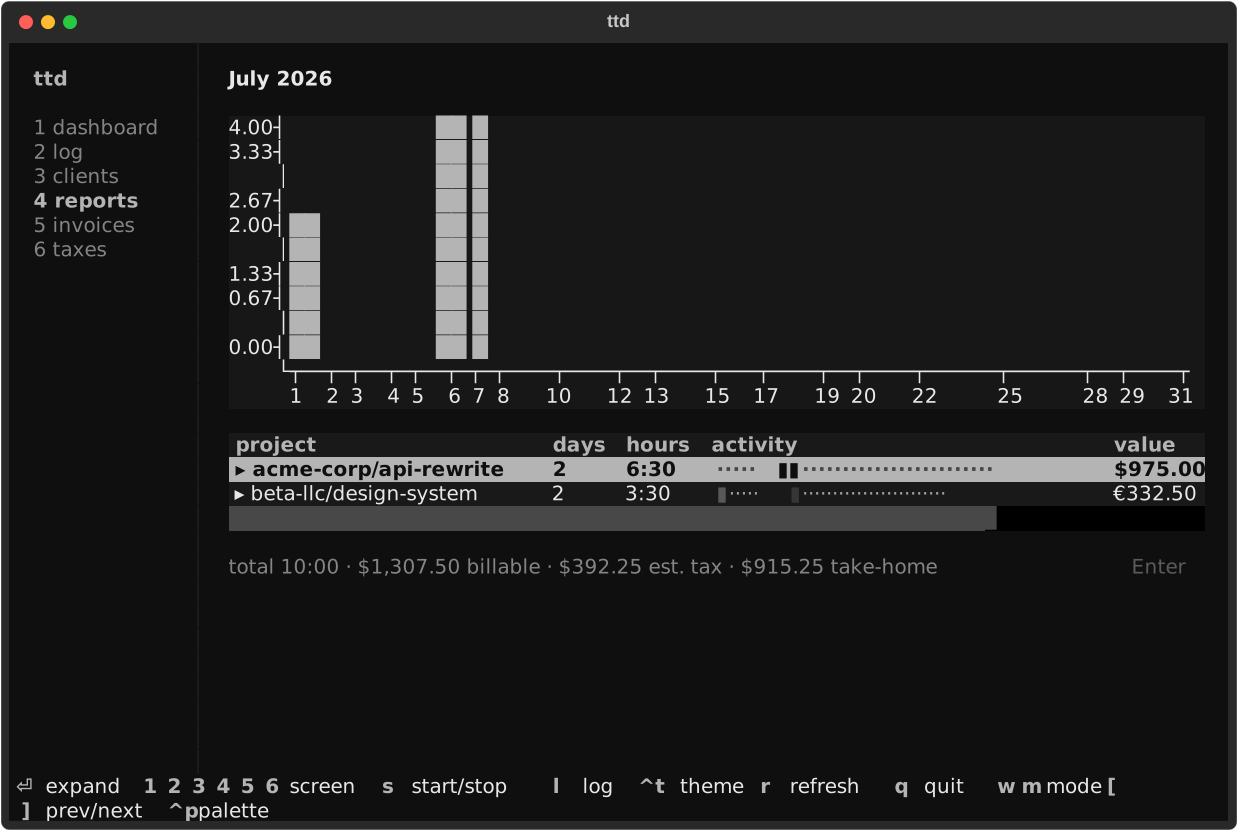
Screen 4. Weekly or monthly rollups with per-day bar chart and activity
heat strips. Keys: w/m mode, [ ] paging, Enter expand entries.
Invoices
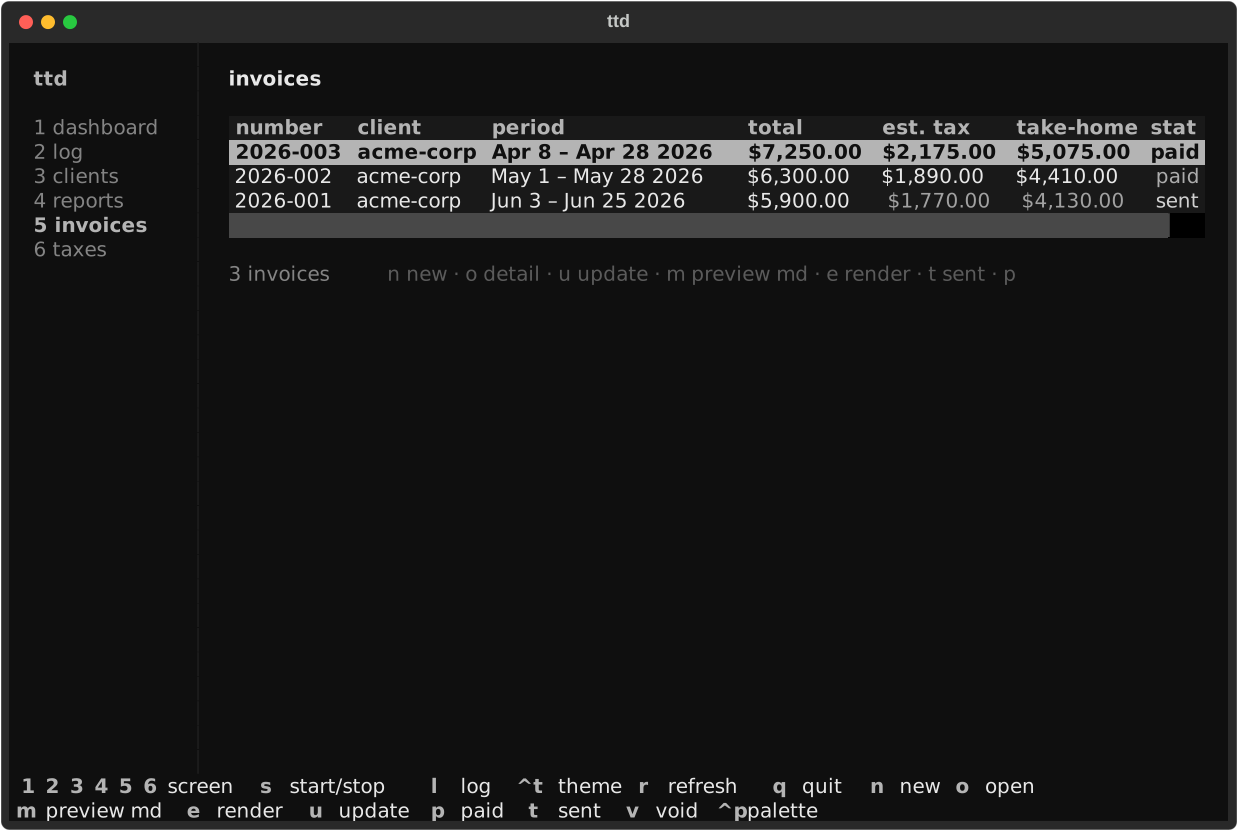
Screen 5. Every invoice with its status pill; create, inspect, render, and
advance them without leaving the screen. When tax.set_aside_rate is set, the
list adds est. tax and take-home columns (dim until the invoice is
paid), and the detail modal shows the same figures. Keys: n new, o detail,
u refresh, m markdown preview, e render (format modal), t sent, p
paid, v void.
Taxes
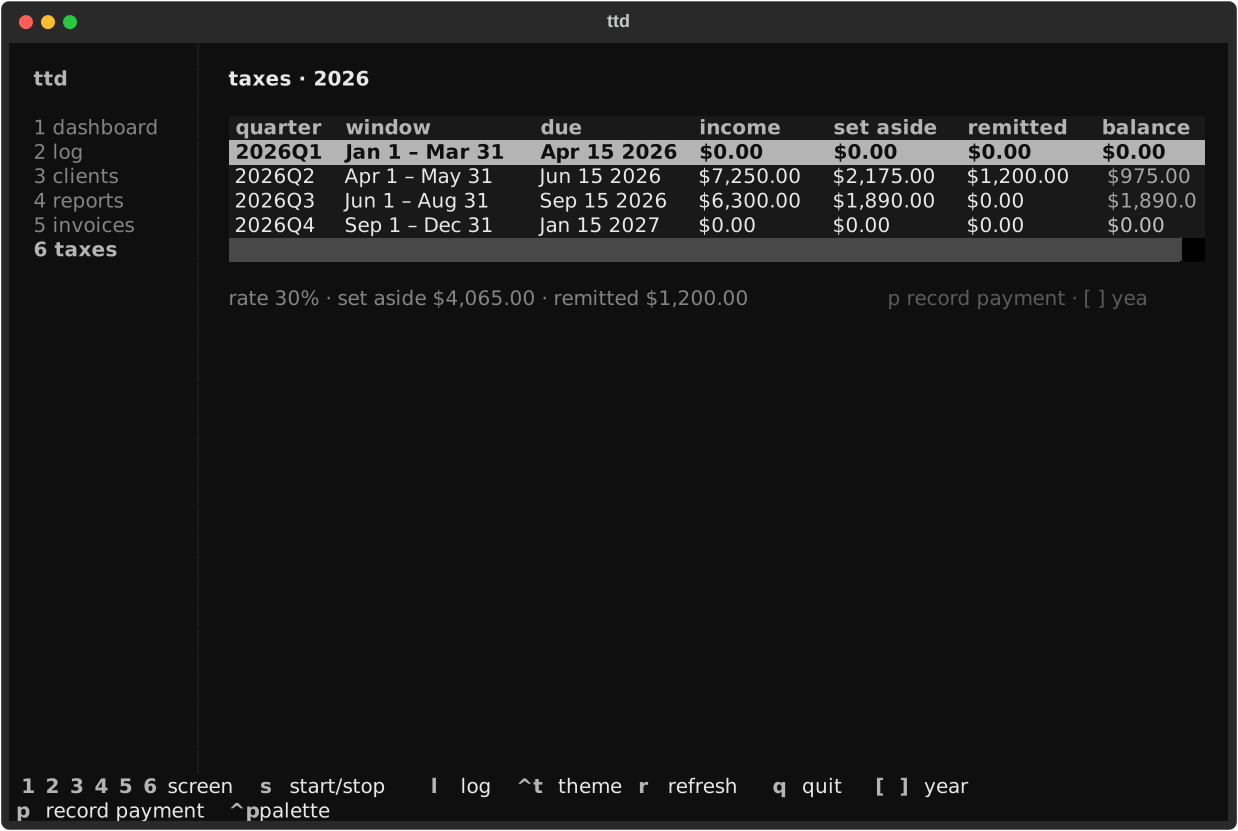
Screen 6. The quarterly set-aside dashboard. Keys: p record payment,
[ ] change year.
Quick log and modals
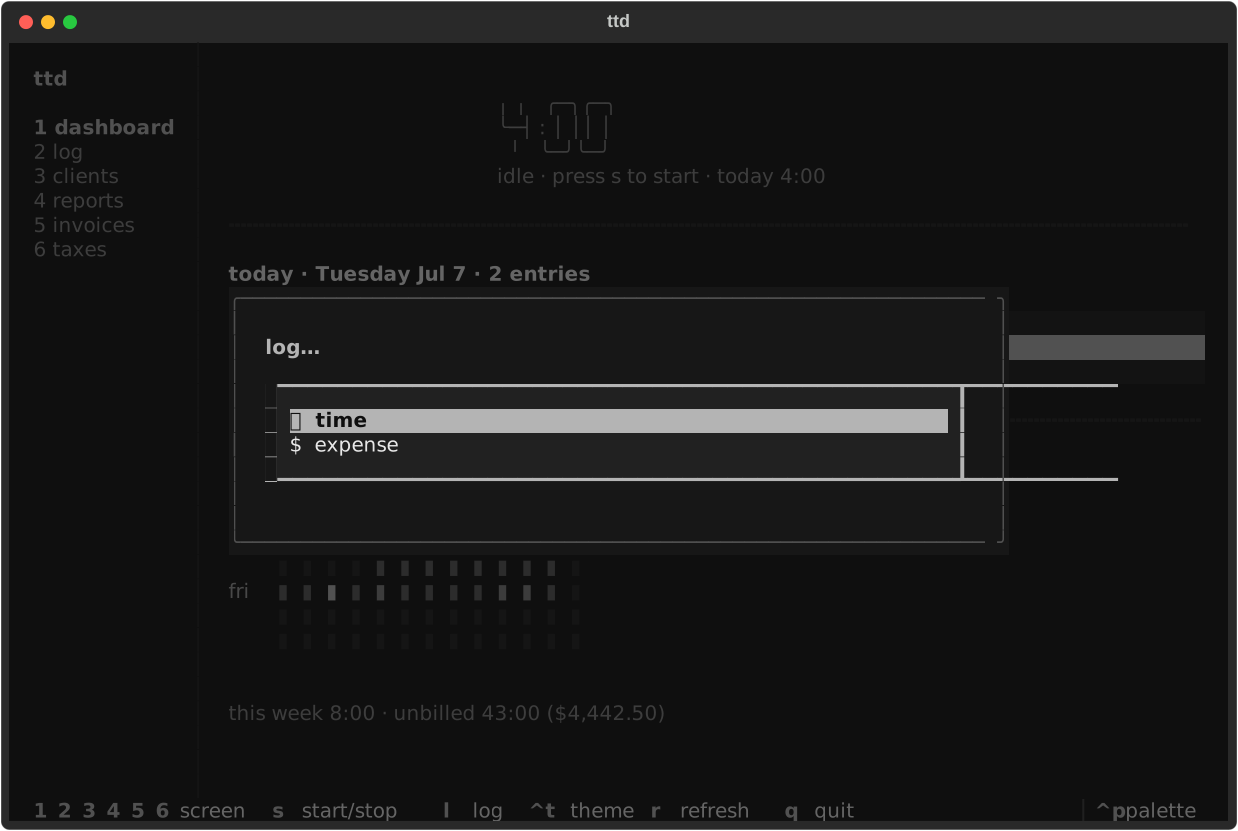
l opens a chooser: time (natural-language entry with live preview) or
expense (project, description, amount, date). Time logging uses the same
time expressions as the CLI:
Forms submit with Enter and cancel with Esc; confirmation dialogs
accept y; pickers are arrow-key lists.
Themes
Press Ctrl+T anywhere in the TUI, or open the command palette (ctrl+p) →
Theme, to browse Textual's full theme catalog in a two-column picker:
searchable list on the left, a miniature TUI preview on the right. Arrow keys
update the preview live; press Enter to apply or Esc to cancel and
restore your previous theme. You'll be asked whether to save the choice as
your default.
Saved themes go to your global config file. You can also set the theme via config (takes effect on next launch):
Full key reference
Every key on every screen, in one table: Keyboard shortcuts.